
Who is this article for? Standalone Tracking customers.
Note: Tracking integration within emdecs one is currently partial. Some portal features are only accessible through the standalone Tracking portal. Where noted, follow the standalone steps.
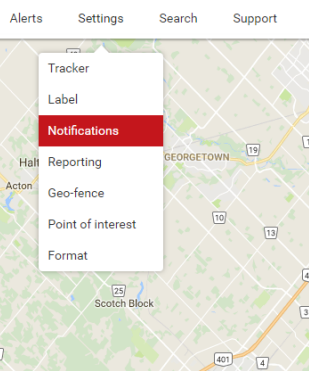
Hover your cursor over Settings on the top navigation bar and click Notifications.
In this window you can customize notifications for each tracker, or multiple trackers by clicking the Multi Select button beside the asset drop-down. Various notification types are available and will vary depending on the type of asset(s) selected. To configure a notification, click the pencil icon beside it.
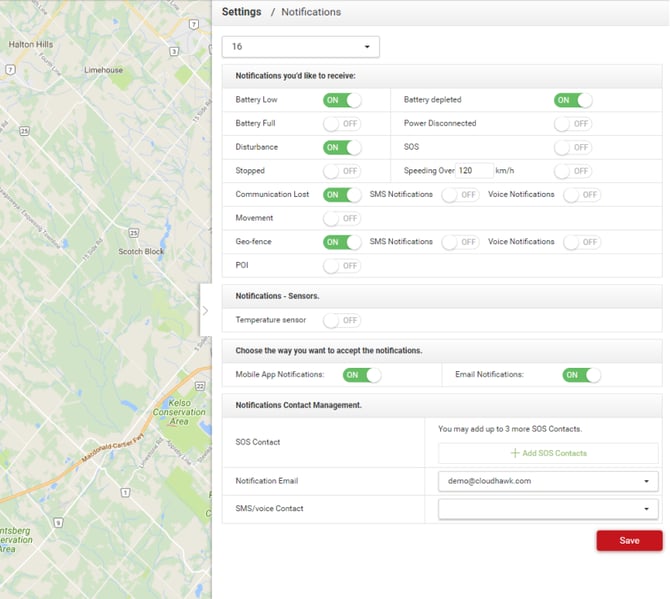
From here, you can toggle on/off various notification types for users in your account. When you’re done, click Save.