
💡BrightOrder team members will never ask you directly for your credit card information.💡
To update your credit card information, visit the Switchboard Cloud Platform
When you're logged in, visit the Settings page. In the Settings Page, select the Update Credit Card option.
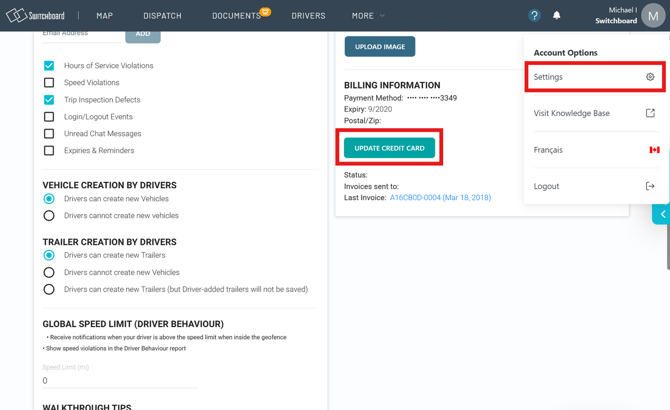
Once your credit card information is entered, you're good to go!
If you have any questions about billing, please contact us at billing@onswitchboard.com